
1. Go to Template Library and choose reports or dashboards you would like to see on your data
2. To Export / Import Single Report Template
-
Open report – by clicking on report name in Dashboards or in Analyze tab list.
-
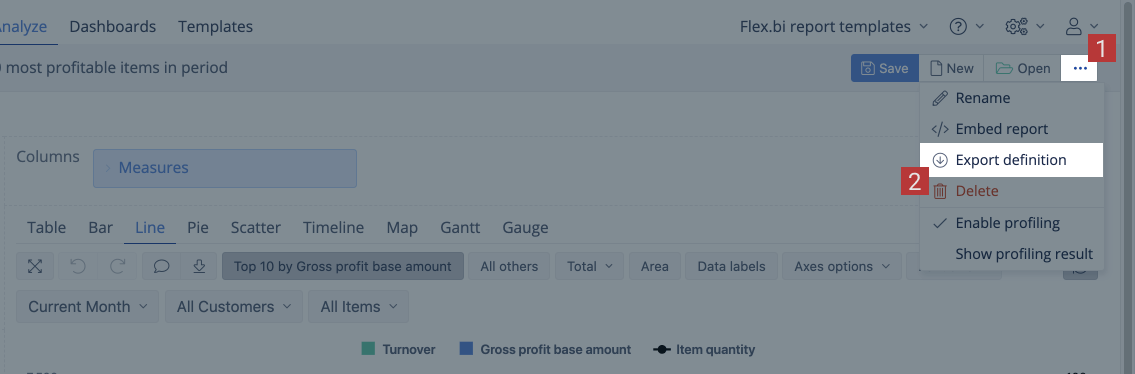
Open Export Report Definition Window at the right corner of window (..) and Copy Content in Clipboard.
-
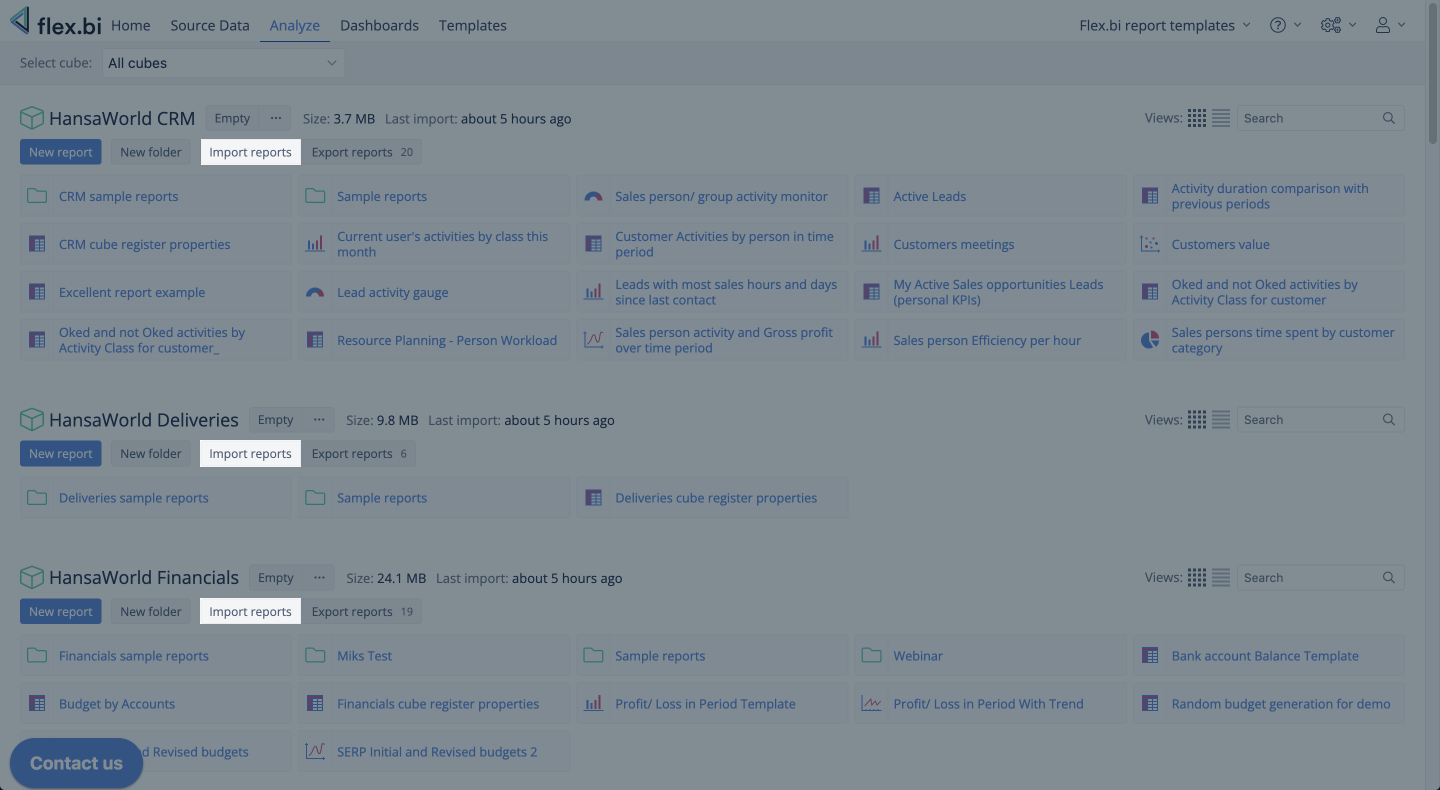
Go to Analyze tab and choose Import definition button. Make sure to import the definition into the same data cube that it was exported from.
-
Paste content of Clipboard in this window and press ok. Report will be created automatically with all the measures.
3. To Export / Import Whole Dashboard Template
-
Open Template Dashboard and select Export definition option the right corner of the Dashboard.
-
Select New Dashboard option and then select Import definition on the he right corner of Dashboard. Press ok.
-
Dashboard will be created automatically with all the reports and measures.